

Key Takeaways
- Wi-Fi smart devices are the easiest to set up but consume more power and can crowd your home network.
- Zigbee creates a self-healing mesh network ideal for large deployments of low-power devices.
- Z-Wave operates on a less congested frequency and is well-suited for security and sensor applications.
- Most households will use a mix of protocols depending on the device type and room requirements.
- Hub requirements and ecosystem compatibility should drive your protocol choice as much as device cost does.
Our Verdict
No single protocol wins for every home or every use case. Wi-Fi suits renters or those starting small; Zigbee rewards those building out dense, battery-powered device networks; Z-Wave fits reliability-focused security setups. Understanding these trade-offs upfront prevents costly compatibility headaches later.
| Best for | Recommended |
|---|---|
| Beginners or renters who want quick, hub-free setup | Wi-Fi |
| Homeowners deploying many smart lights or sensors across large spaces | Zigbee |
| Those prioritizing reliable, interference-resistant security and lock devices | Z-Wave |
| Future-proofing across multiple ecosystems | A multi-protocol hub supporting Matter |
Why Protocol Choice Matters More Than Most Buyers Realize
When shoppers pick a smart bulb or thermostat, they usually focus on features and price. The wireless protocol - the language devices use to communicate - rarely makes the list. That's a mistake. The protocol you choose determines battery life, network congestion, hub requirements, and whether devices from different manufacturers can talk to each other at all.
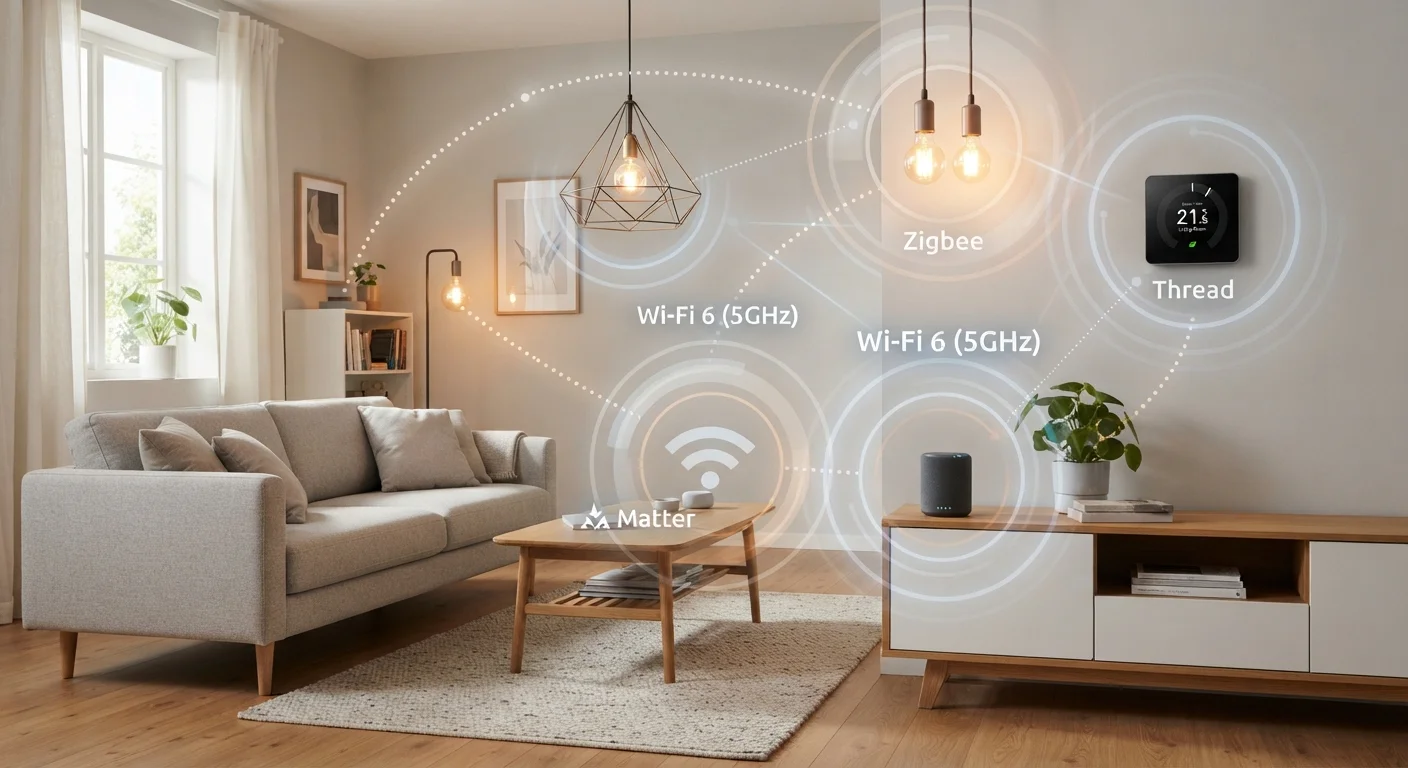
Three protocols dominate the consumer smart home market: Wi-Fi, Zigbee, and Z-Wave. Each uses a fundamentally different approach to transmitting data. See our Smart Home Glossary for plain-language definitions of mesh networks, hubs, and other foundational terms before diving deeper.
Understanding these differences upfront helps you build a system that grows cleanly rather than one that accumulates orphaned devices and compatibility workarounds.
Wi-Fi: Familiar, Powerful, and Demanding
Wi-Fi smart devices connect directly to your existing home router - no additional hub required. That simplicity is their biggest selling point. Plug in a smart plug or screw in a connected bulb, download an app, and you're running in minutes.
The trade-offs are real, however. Wi-Fi devices draw meaningfully more power than Zigbee or Z-Wave alternatives, which makes battery-powered Wi-Fi sensors relatively rare. More significantly, every Wi-Fi smart device joins your 2.4 GHz or 5 GHz network. In a home with dozens of connected devices, that congestion can degrade overall network performance and create reliability issues for devices that matter more - like laptops and streaming players. For context on how your router handles that load, see Wi-Fi standards and what they mean for real homes.
Wi-Fi devices also tend to communicate directly with cloud servers, meaning a cloud outage or the manufacturer discontinuing a product can leave a device unresponsive. Local control - where the device responds without an internet round-trip - is available on some Wi-Fi products but is not guaranteed.
Keep Your Router's Device List in Mind
Most consumer routers handle 30-50 connected devices comfortably, but performance can degrade as you approach those limits. Before expanding a Wi-Fi smart home setup, log into your router's admin panel and count active connections. If you're already near capacity, a Zigbee or Z-Wave hub offloads those devices from your main network entirely.
Zigbee: The Mesh Workhorse
Zigbee operates on the 2.4 GHz band but uses a mesh network architecture, meaning mains-powered Zigbee devices (like smart bulbs) act as repeaters, extending the network's reach with each device added. This makes Zigbee well-suited to large homes where signal range from a central hub would otherwise be a problem.
Because Zigbee devices transmit in short, low-energy bursts, battery life on sensors, door contacts, and motion detectors is measured in months or years rather than days. The ecosystem is broad: hundreds of devices from dozens of manufacturers use Zigbee, although interoperability is not always seamless - some Zigbee implementations are branded as proprietary (notably Philips Hue's older network) and may not pair directly with a generic Zigbee hub.
A Zigbee coordinator - the hub at the center of the mesh - is required. Many popular smart home hubs include a Zigbee radio. The emerging Matter standard also incorporates Thread, a protocol with Zigbee-like mesh characteristics, so the underlying logic carries forward. Learn how these technologies fit into larger platform choices in Smart Home Ecosystems Explained.
| Wi-Fi | Zigbee | Z-Wave | |
|---|---|---|---|
| Frequency band | 2.4 GHz / 5 GHz | 2.4 GHz | 908.42 MHz (US) |
| Network topology | Star (router-centric) | Mesh | Mesh |
| Hub required | No | Yes | Yes |
| Power consumption | High | Very low | Very low |
| Device ecosystem size | Very large | Large | Moderate |
| Interference risk | Higher (shared band) | Moderate (shared band) | Lower (dedicated band) |
| Typical best use | Plugged-in appliances | Lights and sensors at scale | Locks and security sensors |
| Interoperability | App-dependent | Broad but variable | Strong via certification |
Z-Wave: Purpose-Built for Reliability
Z-Wave runs on the 908.42 MHz band in the United States - a frequency largely free of the interference that clutters the 2.4 GHz space used by Wi-Fi, Zigbee, Bluetooth, and microwave ovens. That separation is one reason Z-Wave has become a go-to protocol for security systems, smart locks, and environmental sensors where a missed signal has tangible consequences.
Like Zigbee, Z-Wave uses a mesh topology, so mains-powered devices extend coverage. Z-Wave also enforces a stricter certification process than Zigbee, which historically has meant stronger device-to-device interoperability across brands - though it has also kept the ecosystem smaller and individual devices slightly more expensive.
Z-Wave's mesh is capped at four hops between device and hub, which limits extreme range scenarios but simplifies network troubleshooting. The protocol's lower data rate (compared to Wi-Fi) is not a limitation for its intended tasks - sending a lock status or a temperature reading requires almost no bandwidth.
If you're planning a room-by-room rollout and want to think through where Z-Wave or Zigbee sensors fit best, the room-by-room smart home strategy offers a practical framework.
Choosing the Right Protocol for Your Setup
Protocol choice should map to your specific situation rather than a universal ranking. A few practical filters help narrow it down:
- Renting or starting small: Wi-Fi devices offer zero hub investment and easy uninstallation. Keep the device count modest to avoid network strain.
- Large home with many lights or sensors: Zigbee's mesh scales efficiently and battery life on sensors is significantly better than Wi-Fi equivalents.
- Security-focused or reliability-critical applications: Z-Wave's dedicated frequency and strong certification program make it a sensible choice for locks, alarms, and leak detectors.
- Mixed households: A multi-protocol hub that handles Zigbee and Z-Wave simultaneously - while your Wi-Fi devices run natively - is a common and workable solution.
For smart lighting specifically, where mesh range and dimmer compatibility intersect, connected lighting setup guidance covers how protocol selection interacts with bulb type and switch wiring.
2.4 GHz
Shared band for Wi-Fi, Zigbee, and Bluetooth
All three widely-used wireless technologies compete on the same frequency range, which is a primary source of smart home interference issues.
4 hops
Maximum Z-Wave mesh relay depth
Z-Wave limits signal routing to four device-to-device hops between any node and the hub, balancing range with network simplicity.
This article is for general informational purposes only. Technology specifications and ecosystem compatibility can change; verify current device requirements before purchasing.