

Key Takeaways
- Smart home devices communicate using wireless protocols such as Wi-Fi, Zigbee, Z-Wave, and Thread.
- The Matter standard allows devices from different brands to work together on a single platform.
- Hubs and bridges act as translators when devices use incompatible protocols.
- Choosing a compatible ecosystem before buying devices saves significant setup headaches.
- Not all smart home protocols offer the same range, reliability, or energy efficiency.
Smart Home Ecosystem
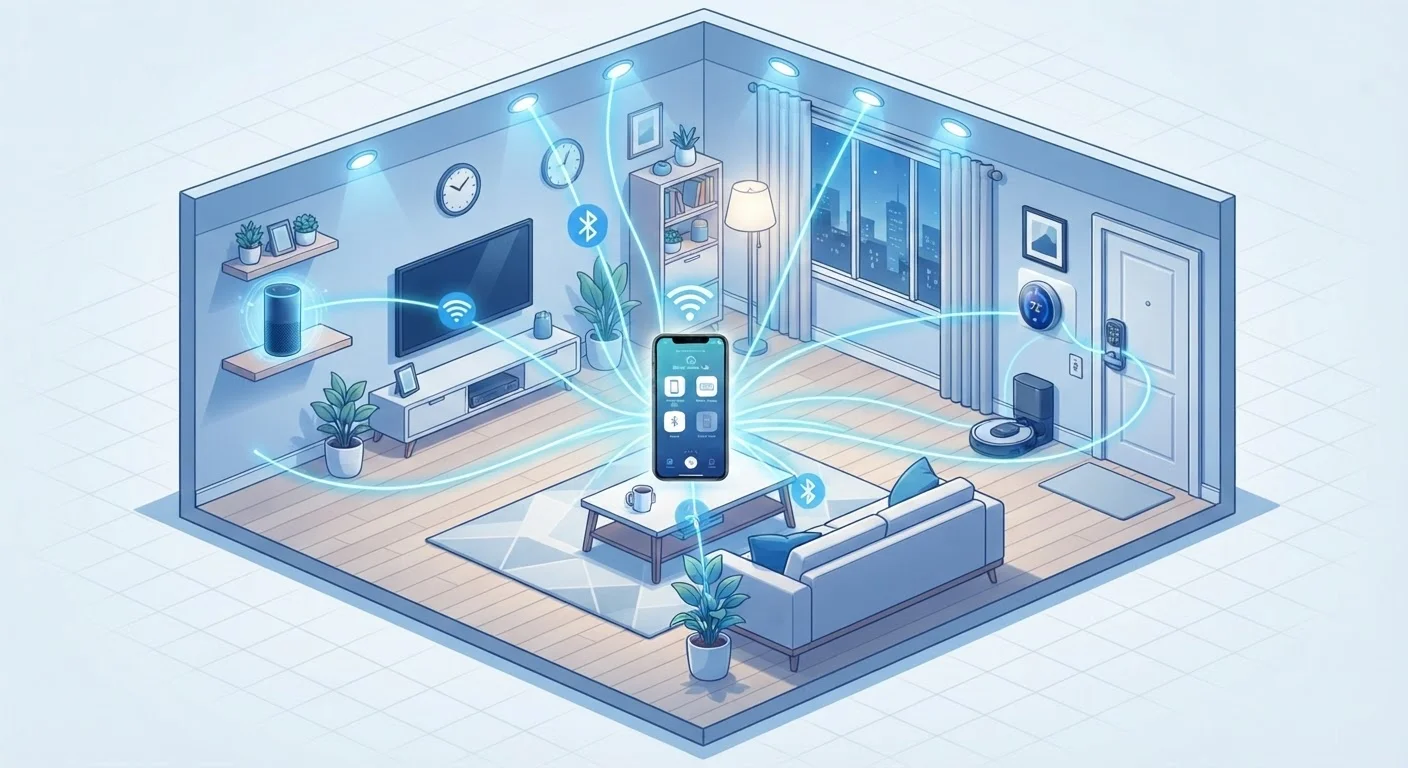
A smart home ecosystem is a collection of connected devices-lights, thermostats, locks, speakers, and more-that communicate with each other through shared wireless protocols and a central platform. These ecosystems allow devices from the same or compatible manufacturers to work together, respond to automation rules, and be controlled from a single app or voice assistant. The 'language' devices use to speak to each other determines which products can work together.
Ecosystems are defined both by the communication protocol (e.g., Zigbee, Z-Wave, Wi-Fi, Thread) and the application layer platform (e.g., Matter, HomeKit, Google Home) that governs device discovery, control, and automation logic.
The Protocols That Power Smart Home Communication
Every smart home device needs a way to send and receive instructions. The method it uses is called a communication protocol-essentially the language that devices speak. Understanding the main protocols helps explain why some devices work together and others don't.
- Wi-Fi: The most familiar protocol. Smart home devices that use Wi-Fi connect directly to your router, making setup simple. The tradeoff is higher power consumption and potential network congestion in homes with dozens of devices.
- Zigbee: A low-power, mesh-based protocol where each device can relay signals to others, extending range. Zigbee devices require a hub to connect to your home network and app.
- Z-Wave: Similar to Zigbee in concept but operates on a different radio frequency (around 908 MHz in the US), which reduces interference with Wi-Fi. Z-Wave also requires a compatible hub.
- Thread: A newer mesh protocol designed for reliability and low power. Thread uses a border router (often built into smart speakers or hubs) instead of a proprietary hub, and it underpins the Matter standard.
- Bluetooth and Bluetooth Mesh: Common in locks, bulbs, and sensors. Bluetooth works well at short range; mesh variants extend coverage but with limitations compared to Zigbee or Thread.
For a plain-English reference to these and other terms, the Smart Home Glossary is a useful starting point.
480M+
Smart home devices shipped globally per year
Industry analysts estimate global smart home device shipments are in the hundreds of millions annually, reflecting rapid adoption across consumer segments.
3+
Average protocols in a multi-brand smart home
Homes that mix devices from different manufacturers commonly operate across three or more communication protocols, underlining the importance of hub or Matter compatibility.
Platforms, Hubs, and How Devices Get Managed
Protocols handle the radio communication; platforms handle the logic-automations, scenes, voice control, and device grouping. Major platforms include Amazon Alexa, Google Home, and Apple HomeKit. Each has its own app, its own ecosystem of compatible devices, and its own rules for how devices interact.
A hub (sometimes called a bridge or controller) sits between your devices and your network. It speaks the protocol of your devices on one side and your home Wi-Fi on the other. Without a hub, Zigbee and Z-Wave devices can't connect to your router or be controlled remotely.
Match Your Hub to Your Protocol Mix
If you already own devices using multiple protocols-say, Zigbee lights and Z-Wave locks-look for a hub that natively supports both before purchasing a new controller. Running two separate hubs to manage the same home adds unnecessary complexity and can create automation conflicts.
Some hubs support multiple protocols simultaneously, acting as a universal translator. This is particularly useful if you've accumulated devices from different manufacturers or ecosystems over time.
Cloud dependency is another consideration: many platforms route commands through manufacturer servers, meaning your smart home's responsiveness depends on an internet connection. Hubs that support local processing can keep automations running even during an outage.
Matter: The Standard Changing the Ecosystem Game
Historically, smart home fragmentation was a major frustration-a bulb designed for one ecosystem wouldn't work in another without workarounds. Matter, developed by the Connectivity Standards Alliance (CSA), is designed to solve this. It creates a shared application layer that sits on top of existing protocols (primarily Thread and Wi-Fi), allowing devices certified under Matter to be adopted by any compatible platform.
In practical terms, a Matter-certified smart plug can be added to an Amazon Alexa setup, a Google Home setup, or an Apple HomeKit setup without needing separate versions of the product. This portability reduces vendor lock-in and gives consumers more flexibility.
Matter doesn't replace the underlying protocols-it standardizes what happens after the devices connect. It's worth understanding both layers when evaluating new devices. For a deeper look, our dedicated article explains Matter in detail.
Building a Cohesive Ecosystem: Practical Considerations
Before adding devices to your home, it's worth mapping out your ecosystem strategy rather than buying devices reactively. A few key questions help frame the decision:
- Which platform do you want as your primary hub? Your voice assistant preference (Alexa, Google Assistant, Siri) often dictates a starting point.
- Are you prioritizing local control or cloud convenience? Local-processing hubs offer more reliability; cloud-connected systems typically offer broader third-party integrations.
- What protocol fits your home's layout? Larger homes with thick walls may benefit from Zigbee or Z-Wave mesh networks, while smaller apartments might manage fine with Wi-Fi devices.
Compatibility Claims Vary by Firmware Version
A device listed as 'Matter-compatible' may require a firmware update before it actually supports Matter features. Before purchasing, verify whether the compatibility is available out of the box or scheduled for a future update-and check user forums for real-world experiences with that specific model.
If you're just getting started, our beginner's guide to setting up a smart home walks through how to approach that first purchase without overcomplicating things. Understanding protocol compatibility upfront helps avoid purchasing devices that can't be integrated later-one of the most common and avoidable frustrations in smart home building.
Smart home technology also intersects with privacy. Devices that are always listening or always connected raise legitimate questions about data handling. For context on one common concern, see our article on what smart speakers do with your voice data.