

Key Takeaways
- Pay-yourself-first means directing savings before spending, not after - reversing the typical habit.
- Automation eliminates decision fatigue and reduces the chance of skipping a savings contribution.
- Even small, consistent automated transfers build meaningful savings over time.
- Matching your transfer schedule to your pay cycle helps prevent overdrafts.
- You can run multiple automated transfers to separate accounts for different goals simultaneously.
What you will need
Why Pay-Yourself-First Outperforms Save-What's-Left
Most people approach saving reactively: spend throughout the month, then set aside whatever remains. The problem is that discretionary spending tends to expand to fill available income, leaving little or nothing at month's end. The pay-yourself-first model reverses this sequence - savings are treated as a non-negotiable expense that happens immediately when income arrives, before any spending decisions are made.
This reframing matters because it removes saving from the realm of willpower. Behavioral economics research consistently shows that people struggle to make consistent discretionary choices under the cognitive load of daily life. Automation sidesteps that entirely. The transfer happens whether or not you think about it.
If you have encountered mental barriers around starting - believing you need to save a large amount before it matters, or that now isn't the right time - it may help to examine those assumptions. Common savings myths that stall people before they start are worth understanding before you build your system.
Small Amounts Add Up Faster Than You Think
Starting with $25 or $50 per paycheck is not a failure - it is a foundation. Consistency over months and years matters far more than the size of any individual transfer. Once automation feels routine, revisit the amount and increase it gradually, especially after a raise or when a regular expense ends.
Automation is equally useful whether you are saving for the first time or rebuilding after a financial setback. The mechanism is the same regardless of where you are starting from. For broader context on managing your household finances alongside your savings goals, the Budgeting Basics hub offers practical frameworks.
Tools and Setup: What You Need Before You Begin
Getting an automated savings system running requires only a few basic resources. Most people already have everything they need.
What you will need
Bank or Credit Union Online Portal
Used to set up recurring automatic transfers from checking to savings accounts on a defined schedule.
Employer Direct Deposit Split
Allows you to direct a portion of each paycheck directly into a savings account before it reaches checking.
Budgeting Worksheet or App
Helps identify a realistic transfer amount by mapping income against fixed and variable expenses.
Separate Dedicated Savings Account
Keeps saved funds distinct from spending money, reducing the temptation to dip into savings.
Check Your Balance Before Automating
Setting up automated transfers without accounting for your existing cash flow can trigger overdraft fees. Review your checking account's typical low-balance days before scheduling transfers. Most financial institutions allow you to set a minimum-balance threshold to prevent automated transfers from overdrawing your account.
One practical note: if you are also managing debt alongside your savings goals, automation can work in parallel - directing one stream of money toward savings and another toward debt payoff. Understanding structured payoff methods can help you balance both priorities. See how the debt snowball and avalanche strategies compare if debt reduction is also part of your plan. You can also explore the Debt & Credit hub for broader guidance.
This Is General Financial Education
The information in this article is for educational purposes only and does not constitute personalized financial advice. Every household's situation is different. For guidance tailored to your specific circumstances, consult a licensed financial adviser or certified financial planner.
Step-by-Step: Setting Up Your Automated System
Follow these steps in sequence. The entire setup typically takes under an hour, and most readers can complete it in a single session using their bank's mobile app or website.
Calculate a realistic starting transfer amount
Before touching any settings, review one to two months of your bank statements. Identify your average take-home pay and your non-negotiable fixed costs - rent, utilities, loan payments, and similar obligations. Subtract those from your income to reveal your discretionary margin.
Choose a transfer amount that fits comfortably within that margin - one that does not require cutting anything essential. Starting conservatively is better than starting ambitiously and canceling the transfer after the first crunch. Even 3-5% of take-home pay is a legitimate starting point.
Open a dedicated savings account if you don't have one
Keeping savings in the same account as everyday spending makes it too easy to absorb those funds into routine purchases. A separate account - even at the same institution - creates a meaningful psychological and practical barrier.
Consider what you are saving toward: an emergency fund, a vacation, a home down payment. Different goals may warrant different accounts or account types. Learn how different savings account structures compare to find a setup that fits your goals.
Schedule an automatic transfer aligned with your pay cycle
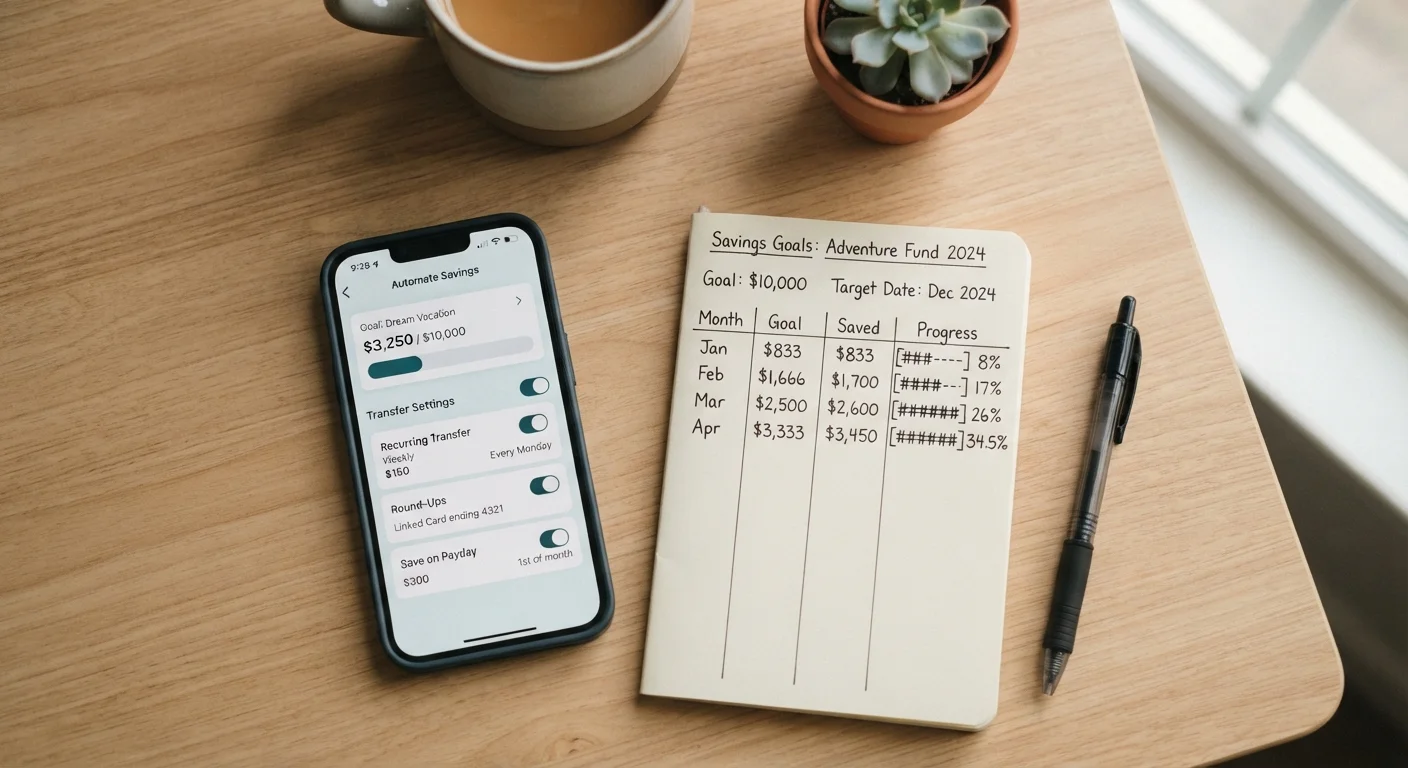
Log into your bank's online portal and navigate to the transfers section. Set a recurring transfer from your checking account to your savings account. Critically, schedule it for the same day - or the day after - your paycheck arrives. This is the mechanical heart of the pay-yourself-first approach: savings move before discretionary spending has a chance to absorb the funds.
If your employer offers direct deposit splitting, you may be able to bypass checking entirely and route a fixed dollar amount or percentage straight to savings each pay period. Check with your HR or payroll department.
Set up multiple transfers for separate goals
Nothing limits you to a single automated transfer. Many households run parallel transfers to separate accounts simultaneously - one for an emergency fund, one for a planned large expense, and one for a longer-term goal. This approach, sometimes called using sinking funds, assigns every saved dollar a specific job.
Keep the total across all transfers within your calculated discretionary margin to avoid cash-flow strain. You can always adjust individual transfer amounts as goals are reached or priorities shift.
Review and adjust your automation every three to six months
Automated savings should not be completely set-and-forgotten indefinitely. Income changes, new expenses emerge, and goals evolve. Schedule a brief calendar reminder every three to six months to revisit your transfer amounts.
Ask two questions: Did any transfers cause cash-flow problems? Has my income grown, allowing me to increase the amount? Gradual increases - even $10 or $25 at a time - compound significantly over the long term. For ideas on maintaining your lifestyle while building savings, see how to keep quality of life intact while building savings.